
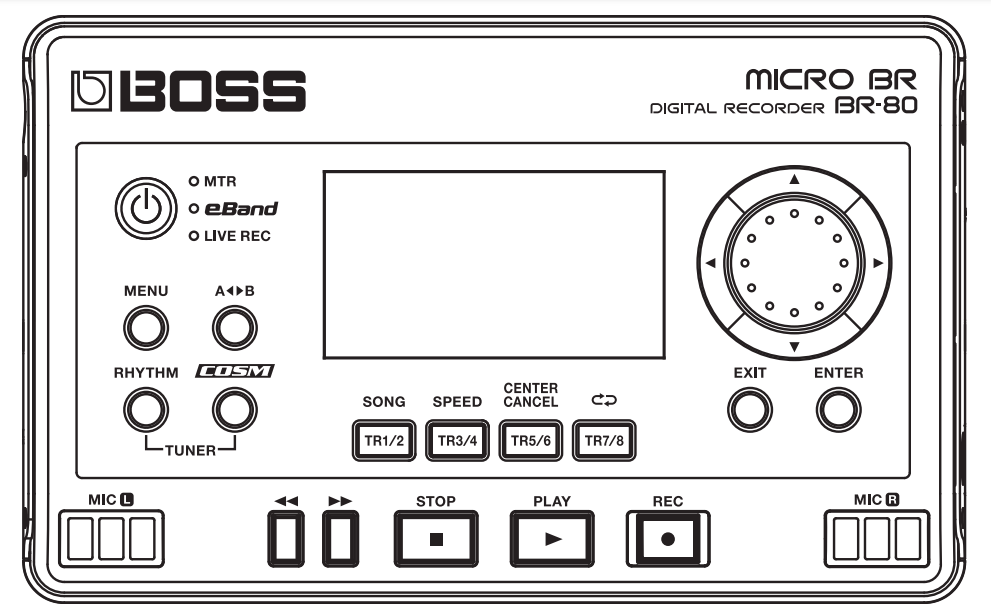

Before you do anything – Back up the memory card (it contains all the eband songs and rythm loops)
[ ]Stop + << together = Skip back to start of track
073 POP 3-V1 (Good Times – Chic) VERSE
DOWNLOADS – Software / Instructions
Videos – roland.com
- Nice tuner
- COSM Amp & Effects w/headphone out
- 5 Guitar to Bass effect Patches (These are a godsend)
- Acoustic guitar sims
- Looper A/B function
- Pitch Shift & Speed Adjustment for Tracks
- 8 Track Recorder
- Built in (Live Record) Stereo Field Microphones
- 100’s of Drum Tracks
- 100’s of Backing Tracks (+ ability to add more)
MICRO BR BR-80: Importing an MP3 or WAV File into LIVE REC Mode
TIPS
If you are having trouble finding MP3’s … Search for your MP3 and look for results from “Internet Archive”
Scroll down and select show all from the Download options on the right hand side.
Find the link that ends .mp3 and download


If you are having trouble uploading mp3’s using software (unsupported file format) it’s because they have the wrong sample rate
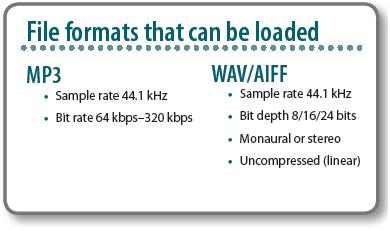
The Sample rate of the file has to be 44.1 kHz. If you check Properties (Windows) or Get Info (Mac) you should be able to see the sample Rate.
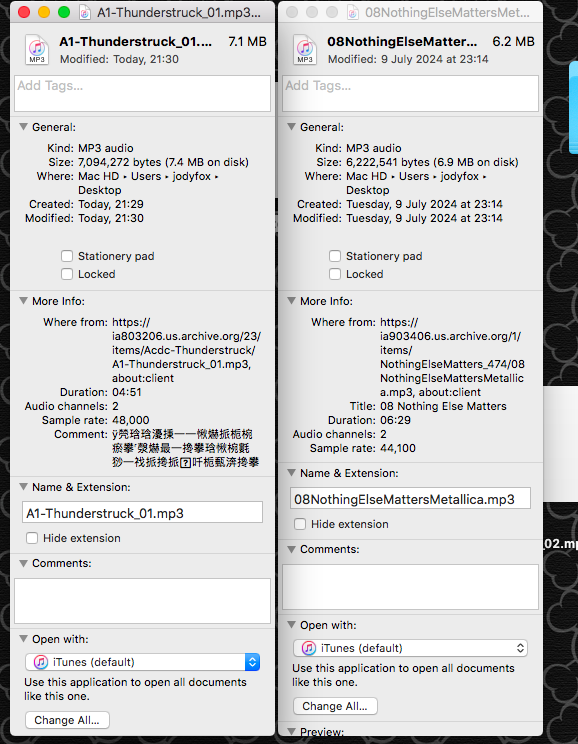
If it is wrong, you can change it using Audacity (Which is free). Just open the file using Audacity and the hit File > Export Audio … and then just change the Sample Rate to 44100 Hz before clicking > Export
